A CNC enclosure (also called a CNC machine enclosure, router enclosure, or protective cover) is a custom or pre-built housing that surrounds your CNC router, mill, laser, or similar machine. It contains noise, dust, chips, and potential flying debris while improving safety, workspace cleanliness, and sometimes machining performance.
In home workshops, garages, or small commercial setups—especially in places like Los Angeles where space is tight, noise complaints from neighbors are common, and apartments limit loud tools—an enclosure transforms a loud, messy hobby into a more livable activity. Hobbyists on Reddit often share how enclosures make desktop CNCs feasible indoors without disturbing roommates or triggering HOA issues.
Why You Need a CNC Enclosure: Key Benefits
Here are the main reasons makers and small shops invest in one, drawn from community feedback:
- Noise Reduction — CNC routers and spindles often hit 80–100+ dB. A good enclosure can drop this by 10–30 dB (making it conversational-level instead of ear-damaging). Many DIY builds achieve 10–15 dB drops with basic materials, but users report up to 25 dB with rigid foam linings for ultra-quiet operation.
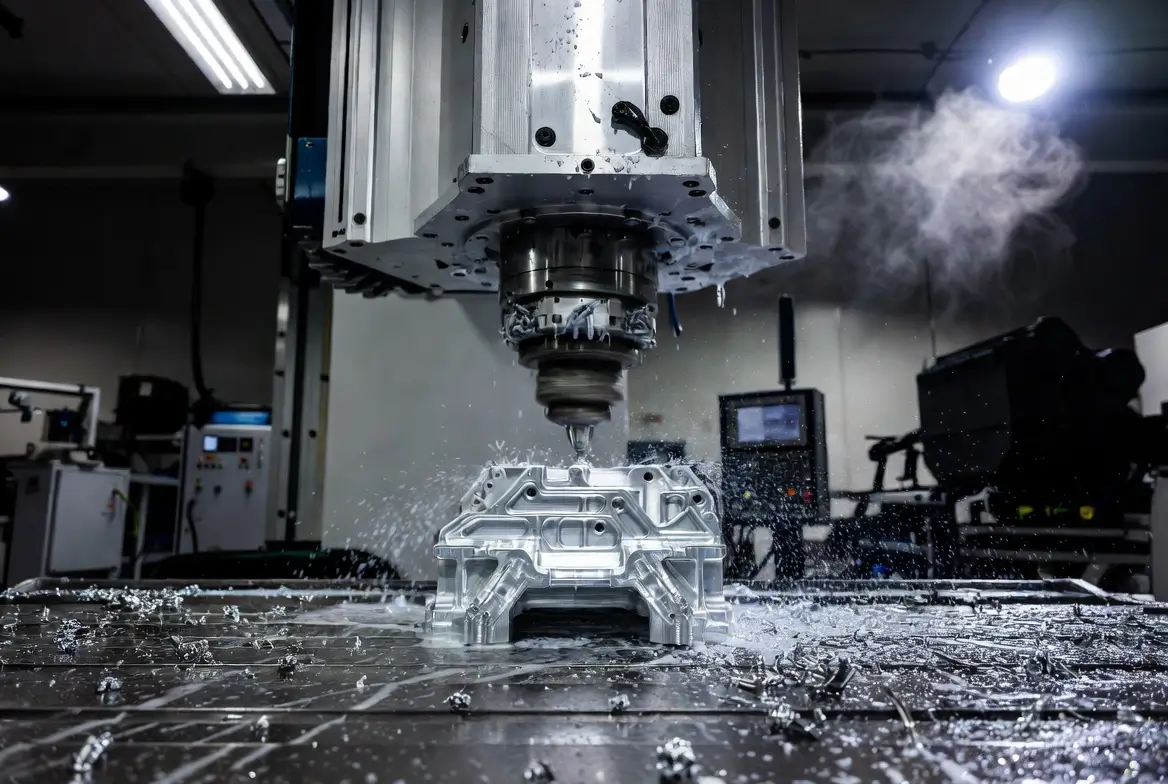
- Dust & Chip Containment — Paired with a dust shoe and vacuum, it keeps fine particles from spreading. Without one, dust infiltrates electronics, lungs, and your home—which is especially problematic when milling aluminum, where chips fly everywhere.
- Safety — Blocks flying broken bits, coolant spray (if using flood), or accidental contact. Essential for routers that can eject tools at high speed.
- Better Organization & Workflow — Keeps tools, fixtures, and the machine tidy; some designs include storage or lighting. Community builds often add wheels for easy garage movement.
- Environmental Control — Reduces temperature swings, contains fumes (for composites/plastics), and protects from shop contaminants. In apartments, it also helps with odor control from resins or woods.
(Example DIY enclosures showing before/after noise reduction and practical builds using wood frames.)
Types of CNC Enclosures
- DIY / Homemade — Most popular for hobbyists (e.g., 3018, Shapeoko, Onefinity, X-Carve). Built from MDF, plywood, 80/20 aluminum extrusions, or scrap. Cost: $100–$600. Highly customizable—Reddit users praise “ugly but functional” designs that prioritize quick assembly over aesthetics.
- Modular / Pre-Fab Kits — From brands like Allied Modular or Etsy sellers. Quick assembly, often with doors, vents, and lighting. Cost: $500–$2000+. Ideal for beginners avoiding full DIY.
- Commercial / Industrial — Full metal or polycarbonate rooms for pro shops (e.g., Tormach, large mills). Focus on heavy-duty safety and soundproofing. Cost: $2000+. Less common in hobby spaces but recommended for high-volume work.
Best Materials for Your Enclosure
Choose based on budget, noise goals, visibility, and durability. Community discussions emphasize balancing cost with effectiveness—e.g., avoiding all-polycarb setups that amplify noise.
| Material | Pros | Cons | Best For | Approx. Cost (per sq ft) | Community Notes |
|---|---|---|---|---|---|
| MDF / Plywood | Cheap, dense for sound blocking, easy to work | Heavy, absorbs moisture, not transparent | Soundproof walls/base | $1–$3 | Popular for bases; paint to seal against dust. |
| Acrylic (Plexiglass) | Crystal clear, lightweight, easy to cut | Scratches easily, cracks on impact, less sound blocking | Windows/doors for visibility | $3–$8 | Good for viewing but pair with foam for quiet. |
| Polycarbonate (Lexan) | Extremely impact-resistant, flexible, UV stable | Scratches more than acrylic and is pricier | Safety-focused windows (bulletproof-level toughness) | $5–$12 | Preferred for doors; users warn about static attracting dust. |
| Foam Insulation / Acoustic Panels | Excellent sound absorption | Not structural; needs framing | Lining interior for extra quiet | $2–$6 | Rigid foam for DIY soundproofing—cut your own panels on the CNC itself! |
| 80/20 Aluminum Extrusions | Modular, strong, reusable | Expensive, requires connectors | Frames for pro-looking builds | $5–$15 (per linear ft) | Great for adjustable frames; mix with polycarb for hybrid builds. |
Tip: Combine MDF/plywood walls with polycarbonate windows for the best balance of soundproofing + visibility. Add mass-loaded vinyl or heavy foil for extra dB reduction. Hobbyists recommend sourcing from home improvement stores to keep under $350 total.
How to Build a DIY CNC Enclosure (Step-by-Step)
Optimized with feedback from r/hobbycnc users who shared designs and pitfalls.
- Measure & Plan Measure your CNC + workspace clearance (add 6–12″ on all sides). Sketch doors (hinged, sliding, or lift-up), vents, and dust port locations. Ensure easy access for bit changes and clamping. Consider apartment constraints—make it rollable on casters for storage.
- Frame Build a sturdy base (plywood or 80/20). Use wood for budget or extrusions for precision. Users suggest overbuilding the frame to handle vibrations.
- Walls & Roof Cut panels and add acoustic foam inside. Seal gaps with weatherstripping or foam tape. For extra quiet, line with rigid foam before assembly.
- Windows & Doors Cut polycarbonate/acrylic panels. Add hinges, latches, and gas struts for easy opening. Community tip: Use magnetic latches for quick access without noise.
- Ventilation & Dust Install intake vents (bottom, baffled to reduce noise) and exhaust port connected to shop vac / dust collector. Add a fan if needed for cooling—essential in warm LA climates to prevent spindle overheating.
- Lighting & Extras LED strips inside, a power strip, and a viewing window. Add a webcam for remote monitoring in apartments.
- Test Run noise tests (use phone app), check dust containment, and monitor temps. Iterate based on runs—many users refine vents after the first use.
Many free plans exist online (e.g., Instructables, YouTube builds for 3018 or Shapeoko). Paid Etsy plans offer detailed CAD for larger machines. Check r/hobbycnc for shared Fusion 360 files.
(Advanced soundproof build with foam lining; large rolling MDF enclosure on casters.)
Soundproofing & Ventilation Tips
- Sound: Use dense materials + absorption (foam). Baffle vents to block direct sound paths. Expect 10–20 dB reduction easily; 30+ dB with effort. Rigid foam is a game-changer for hobbyists milling at night.
- Ventilation: Always include makeup air (intake at bottom, exhaust at top via dust collector). Avoid airtight seals—heat buildup kills routers. In apartments, route exhaust outside if possible to minimize indoor dust.
- Dust Collection: Mandatory inside enclosures. Use a dust shoe + HEPA vac. Cyclone separators help longevity—users milling metals swear by them for chip control.
Common Mistakes to Avoid
- No dust collection → dust storm inside.
- Poor ventilation → overheating electronics/router.
- Weak doors/windows → safety hazard.
- Ignoring visibility → hard to monitor cuts.
- Underestimating size—hobbyists often rebuild larger for better access.
FAQ: Frequently Asked Questions About CNC Enclosures
Here are answers to the most common questions from hobbyists and small-shop users in 2026, including apartment-specific insights
1. Will a full enclosure cause my router/spindle to overheat? Usually not—if you add proper ventilation. Routers and steppers generate heat, but passive intake/exhaust vents (baffled for noise) or a small fan keep temps safe. Many DIY builders report no issues with bottom intake + top exhaust tied to dust collection. Monitor with a cheap thermometer during long cuts.
2. How much noise reduction can I realistically expect? 10–20 dB is common with basic MDF/plywood + foam lining (e.g., from 80 dB to 60–70 dB—huge difference). Advanced builds with drywall layers, acoustic foam, and sealed gaps hit 25–30+ dB reduction. Test with a phone decibel app before/after. Users in apartments note it’s enough to run evenings without complaints.
3. Is dust containment perfect inside an enclosure? Not 100% without good dust collection. Debris can still swirl if the vacuum isn’t strong. Pair with a dust shoe, cyclone separator, and HEPA filter for best results—most users see 90%+ containment, especially for aluminum milling.
4. Can I add an enclosure to my existing CNC machine later? Yes, most hobby machines (Shapeoko, Onefinity, etc.) are easy to retrofit. Modular designs or simple wood boxes fit around them without mods. Measure clearance first.
5. What’s the best material combo for home use (noise + visibility + budget)? MDF or plywood for walls (sound blocking), polycarbonate windows (impact-resistant + clear), and acoustic foam lining. Add weatherstripping to seal gaps. Total DIY cost is often $200–$500—under $350 if sourcing smartly.
6. Do I need ventilation if I’m not using coolant/mist? Yes—for air exchange and heat. Sealed enclosures trap heat quickly. Bottom baffled intakes and exhaust ports to a shop vac work well. In warm areas like LA, add a fan for summer runs.
7. Is a DIY enclosure safe enough, or should I buy commercial? DIY is fine for hobby use if built sturdily (no weak doors, secure latches). Add interlocks if possible. Commercial offers better safety features for pros.
8. How do I handle visibility and monitoring cuts inside? Large polycarbonate or acrylic windows + bright LED strips inside. Many add cameras or just open doors for checks.
9. Can I run a desktop CNC in an apartment with an enclosure? Absolutely—many do! Focus on soundproofing (foam + baffles) and dust control. Keep it compact and on wheels for storage. Users report success with models like the 3018, running quietly enough for urban living.
Final Thoughts
In 2026, with more hobbyists running CNCs in apartments or garages, enclosures are essential for comfort and health. Start simple (DIY wood box with acrylic window) and upgrade as needed. Whether for a desktop 3018 or a full router table, the right enclosure makes CNCing quieter, cleaner, and safer.
Ready to build? Search for model-specific plans (e.g., “Shapeoko enclosure plans”) or check communities like Reddit r/hobbycnc for inspiration. Share your build—what’s your CNC setup, Brian?

Ryan Wang
Ryan Wang is the CNC Machining Expert at Cncpioneer, with over 15 years of hands-on experience as a CNC programmer, process engineer, senior machinist, and precision manufacturing specialist. He has helped companies in aerospace, automotive, medical, and electronics sectors achieve micron-level tolerances and scale from prototypes to high-volume production. Ryan is also an experienced instructor in advanced CNC techniques, particularly five-axis machining and challenging materials.