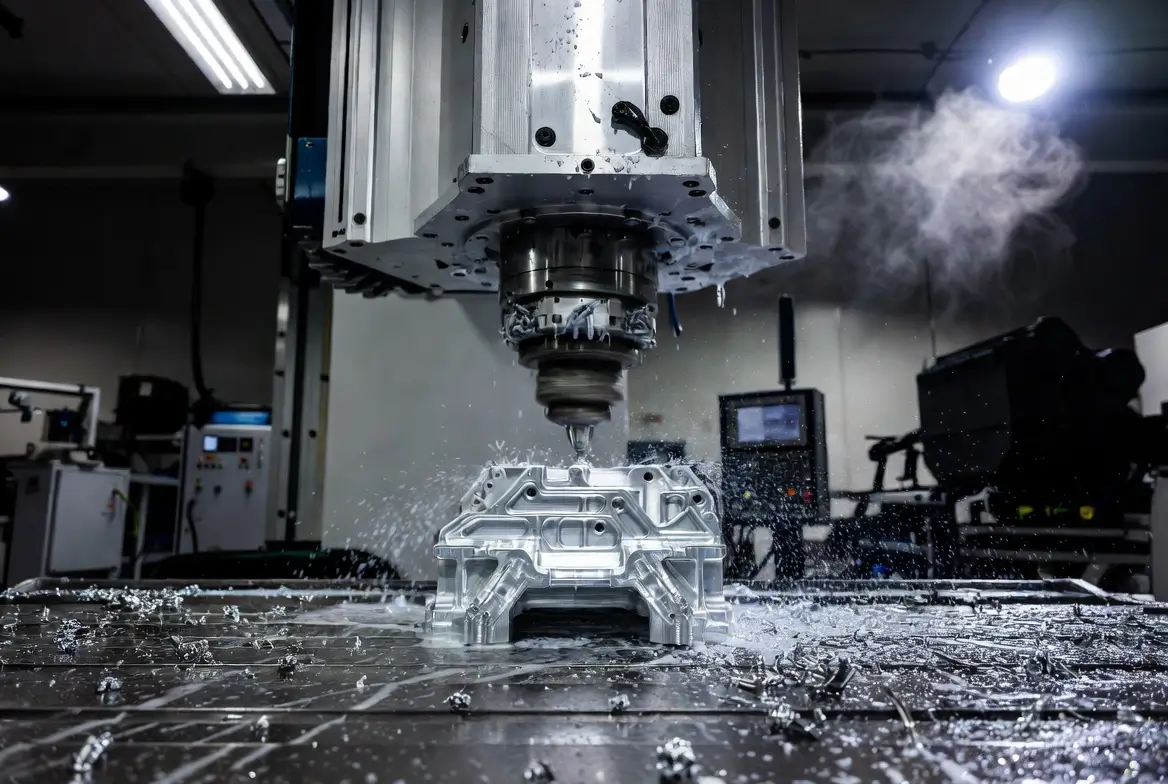
A soundproof CNC enclosure (also called a CNC sound enclosure) is one of the most effective upgrades for hobbyists and home users running desktop or mid-size CNC routers, mills, or machines like the 3018, Shapeoko, Onefinity, or MPCNC. These machines often produce 80-100+ dB of noise from spindles, steppers, and cutting—comparable to a lawnmower or power tools—which can disturb family or neighbors or make late-night work impossible in apartments or garages.
A well-built enclosure can reduce perceived noise by 20-50 dB (often 30-40 dB in real builds), turning a disruptive roar into background conversation levels (around 60 dB or less). It also contains dust, improves safety, and organizes your workspace.
Here’s a complete informational guide (around 1800 words) to help you design, build, and optimize one in 2026.
Why Build a Soundproof CNC Enclosure?
CNC noise comes from:
- High-RPM spindles/vibration
- Stepper motors buzzing
- Cutting material (wood, aluminum, etc.)
- Dust extraction fans/vacuums
Without containment, sound escapes freely. An enclosure uses mass, sealing, damping, and absorption to block and reduce it.
Benefits:
- Noise reduction: 20-48 dB reported in user builds (e.g., from 100 dB → 52-70 dB)
- Dust control: Keeps chips/fines inside (pair with shop vac)
- Safety: Contains flying debris, protects from coolant mist
- Professional look: LED lighting and viewing windows make it workspace-friendly
Key Principles of Soundproofing
Soundproofing follows these rules:
- Mass — Heavy materials block airborne sound (e.g., thick MDF, OSB, drywall).
- Decoupling — Avoid rigid connections that transmit vibration (use rubber feet, isolation pads).
- Sealing — Airtight gaps leak sound dramatically (use weatherstripping and gaskets).
- Absorption — Foam/insulation inside reduces echo and reverberation.
- Avoid resonance — Don’t use thin, vibrating panels (plywood can “sing” like a speaker).
Real-world attenuation examples from community builds:
- Basic MDF box: 20-30 dB
- MDF + mass-loaded vinyl + foam: 35-45 dB
- Advanced designs (double walls, concrete): 40-50+ dB
Best Materials for Soundproofing
Prioritize density and layering:
- Outer shell: 18-25mm MDF or OSB (cheap, massive, and screws well). Avoid thin plywood—it vibrates.
- Mass loading: Bitumen sheets, mass-loaded vinyl (MLV), or heavy foil (adds 20-30 dB blocking).
- Absorption inside: Acoustic foam (egg-crate or pyramid), rockwool/mineral wool boards (e.g., Rockwool Comfort Board), and dense foam (20-50mm thick).
- Windows/doors: Double-layer polycarbonate/acrylic (air gap for insulation) or laminated glass.
- Seals: Weatherstripping, foam gaskets, magnetic strips on doors.
- Feet/base: Anti-vibration pads or rubber isolators under the whole enclosure.
- Ventilation: Use baffled ducts or silenced fans to exhaust heat/dust without sound leaks.
Avoid cheap acoustic foam alone—it’s mostly for echo, not transmission blocking.
Step-by-Step DIY Build Guide
- Measure & Design Measure your CNC (including travel + clearance for tool changes). Add 6-12 inches all around for access/ventilation. Sketch doors (hinged or sliding), a viewing window, and a dust port.
- Frame & Structure Build a sturdy frame with 2×4 lumber or aluminum extrusion. Cover with thick MDF/OSB panels. Make it modular for easy access.
- Add mass & damping layer MLV or bitumen between panels. Use heavy foam or rock wool inside walls.
- Line Interior Cover walls/ceilings with acoustic foam or rock wool. Leave the floor clear or add a mat.
- Doors & Seals Install hinges/latches. Add weatherstripping around edges. Use double gaskets for best seal.
- Window Cut opening, mount double polycarbonate sheets with air gap.
- Ventilation & Dust Add filtered intake + baffled exhaust (e.g., S-shaped duct with foam). Connect the shop vac.
- Test & Tweak Run the machine, measure dB (use phone app), and seal any leaks.
Budget build (desktop CNC): $150-400. Pro-level: $500-1000+.

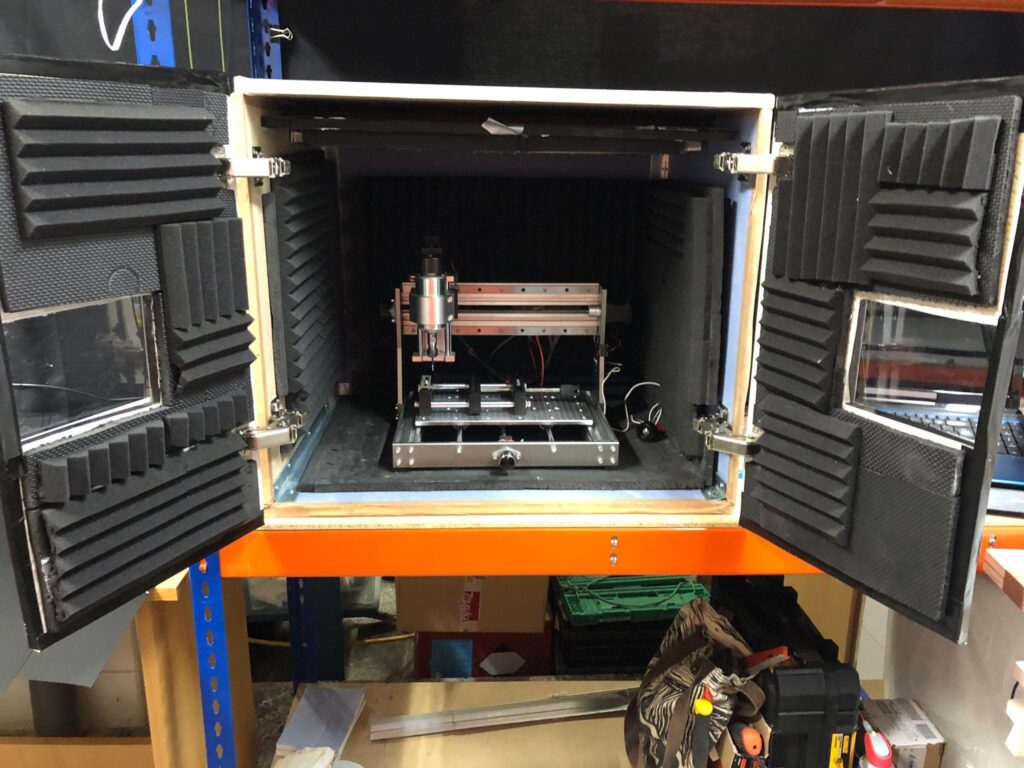
These examples highlight simple wood-framed boxes with foam and clear panels—great for beginners.
Recommended Videos
Watch these for visual step-by-steps:
Soundproofed DIY CNC Enclosure: Acoustics and Calculations Explained — In-depth on physics, materials, and realistic expectations. Great for understanding why certain builds work.
My CNC (MPCNC) enclosure for dust and noise reduction (with dB measurements) — Real build with before/after dB tests, foam setup, and dust handling tips.
FAQs
How much noise reduction can I realistically expect?
20-40 dB is common for good DIY builds. Every 10 dB feels roughly half as loud. A 100 dB machine can drop to 60-70 dB—quiet enough for indoor use.
Do I need ventilation?
Yes—spindles generate heat. Use baffled vents or low-noise fans. Poor airflow can overheat electronics/motors.
Is MDF better than plywood?
Yes, for soundproofing, MDF is denser and less resonant. Combine with damping layers.
Can I make it completely silent?
No—some low-frequency hum/vibration always escapes. Aim for “conversation level” (under 65 dB).
What about dust collection inside?
Add a dust boot + shop vac port. Enclosure contains chips; the vacuum pulls them out.
Is rock wool safe inside?
Use faced/encased boards to avoid fibers. It’s excellent for absorption but dusty if exposed.
How to handle viewing the machine?
Double polycarbonate windows work well—clear, strong, and insulating.
Best for apartment use (e.g., 3018 Pro)?
Small MDF/foam box on vibration pads. Add MLV for extra blocking. Test neighbors first.
Cost-effective quick win?
Thick MDF + weatherstripping + interior foam. Many get 25-35 dB reduction for under $200.
If you’re in Los Angeles like many hobbyists, check local suppliers for MDF/foam—Home Depot or specialty acoustics shops stock good options.
This setup should make your CNC much more livable. Start simple, measure results, and iterate!