In modern workshops and production floors, two CNC technologies stand out for precision cutting and shaping: laser cutting and CNC routing. Both deliver computer-controlled accuracy, but they use completely different methods—one relies on intensely focused light, the other on high-speed spinning tools.
Many fabricators, sign makers, woodworkers, and metal shops face the same question: which technology gives faster throughput, cleaner results, or better ROI for the jobs you run every day?
This guide compares the two head-to-head across the factors that matter most in real production: cut depth and form, speed, edge quality, material range, workpiece holding, operating costs, and more. Whether you’re cutting thin sheet metal, thick hardwood panels, acrylic signs, or custom prototypes, you’ll see clear winners for each application.
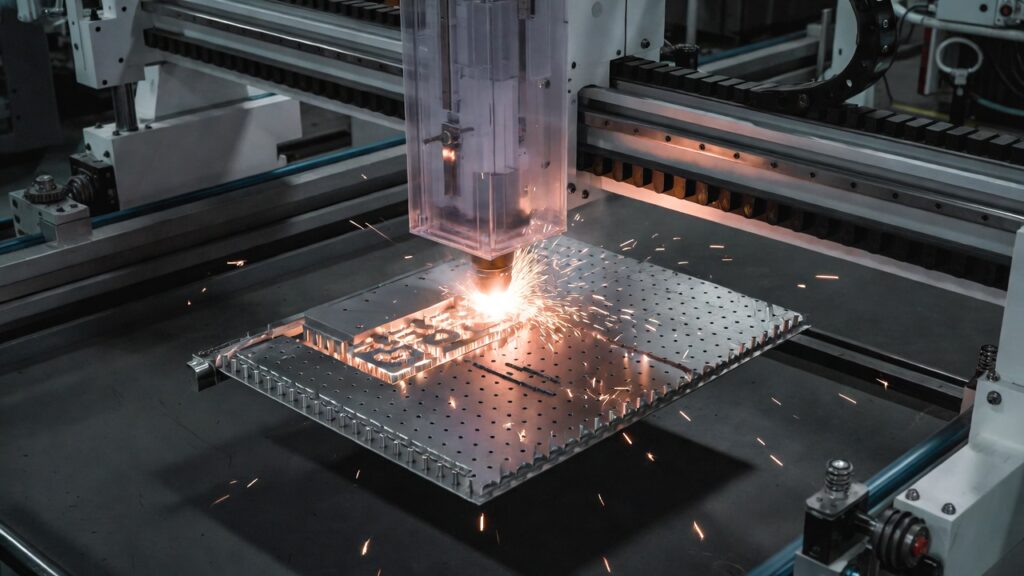
(CNC fiber laser in action cutting intricate metal patterns with minimal heat-affected zone)
Form & Depth of Cut
CNC routers act like advanced carving machines. The rotating bit plunges in and removes material layer by layer, so you control depth precisely—down to fractions of a millimeter. You can create:
- Deep pockets and 3D relief carving
- Blind holes and stepped features
- True 3D contours and undercuts (especially on 4- or 5-axis machines)
This makes routers ideal for furniture components, mold making, thick aluminum plates, and any project needing structural depth beyond a few millimeters.
lasers Cutting (CO₂ for non-metals, fiber for metals) cuts by vaporizing or melting material in a single pass. Depth is limited by power, focus, and material type:
- CO₂ lasers typically max out at ¾–1 inch (19–25 mm) in wood or acrylic before edges char badly or taper appears.
- High-power fiber lasers cut stainless steel up to 1–1.25 inches (25–32 mm) cleanly, but they produce through-cuts only—no practical blind holes or variable-depth pockets without multiple setups or secondary operations.
Winner for depth and complex form: CNC router. Winner for flat, through-cut profiles: laser (especially fiber on metal).
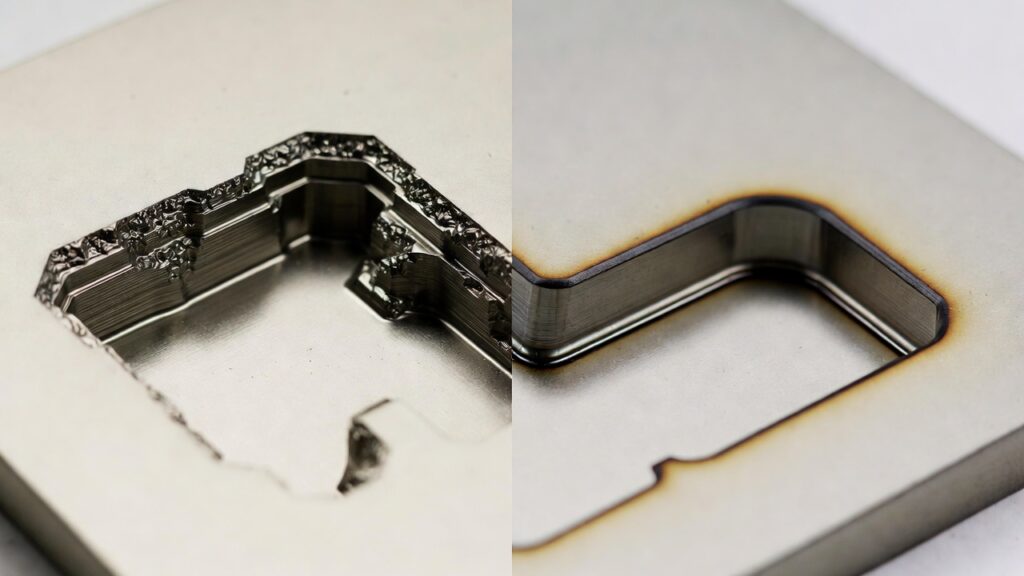
(Side-by-side: deep 3D pocket carved by CNC router vs. clean through-cut by laser on thin sheet)
Cutting Speed
Lasers usually win on speed for thin-to-medium sheet work. A mid-power fiber laser slices 1/8-inch (3 mm) stainless steel at 100–300 inches per minute, depending on assist gas and contours. CO₂ lasers fly through ¼-inch acrylic even faster for vector profiles.
Routers move slower because of mechanical forces—tool deflection, chip load limits, and the need to ramp in/out. Thick materials or 3D toolpaths slow them further.
However, routers can sometimes outperform on very thick stock where a laser would require dozens of slow passes.
Winner for most 2D sheet jobs (especially metal under ½ inch): CNC laser. Winner for thick stock or 3D work: CNC router in many cases.
Edge Quality & Post-Processing
Laser edges shine on acrylic (flame-polished look) and thin metals (minimal burr with nitrogen assist). Wood shows light char that sands off quickly.
Router edges depend heavily on bit condition, feed rate, and climb vs. conventional cutting. With sharp carbide bits and proper chipload, wood and soft metals can exit almost sand-free; metals often need light deburring.
Winner for minimal post-processing on flat parts: laser. Winner when you already plan to sand or finish anyway: router (no heat discoloration on wood).
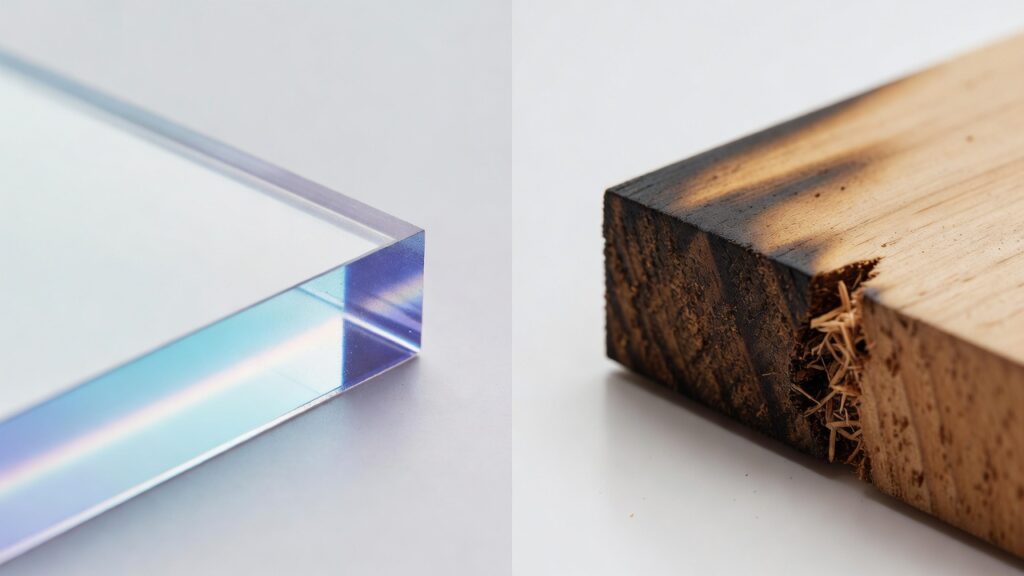
(Close-up comparison: laser-cut acrylic edge vs. router-cut hardwood edge)
Material Compatibility
CNC routers handle an extremely wide range:
- Hardwoods, softwoods, plywood, MDF
- Plastics (acrylic, HDPE, UHMW)
- Foams, composites, carbon fiber
- Soft metals (aluminum, brass) and even some steels with appropriate tooling
CNC lasers are more specialized:
- CO₂: excellent on wood, acrylic, leather, paper, some plastics
- Fiber: dominates metals (stainless, mild steel, aluminum, copper) but poor on highly reflective bare copper without special prep
Lasers struggle with or produce toxic fumes on PVC and certain coated materials. Routers generate dust but no combustion byproducts.
Winner for versatility across materials: CNC router. Winner for production of sheet metal: fiber laser.
Securing the Workpiece
Routers almost always use vacuum tables, clamps, or spoilboards—essential because of the cutting forces. Vacuum hold-down is very effective on flat sheet goods.
Lasers use almost no downward force, so simple honeycomb beds, magnetic strips (for metal), or light tape suffice. No clamps needed in most cases, which speeds setup.
Winner for fastest fixturing: laser. Winner for rock-solid hold on heavy or vibrating cuts: router with vacuum.
Operating Costs & Consumables
Routers consume bits (carbide end mills, $10–$80, replaced every 10–100 hours) plus spindle bearings over time.
Lasers have minimal tooling wear—focus lenses and nozzles are the main consumables ($50–$300 sets, replaced every few hundred to thousand hours). Fiber lasers especially have very low per-part costs once past initial investment.
Electricity, assist gas (nitrogen/oxygen for fiber), and exhaust filters add up for lasers.
Winner for lowest consumable cost in high-volume metal sheet work: fiber laser. Winner for mixed-material, lower-volume shops: router.
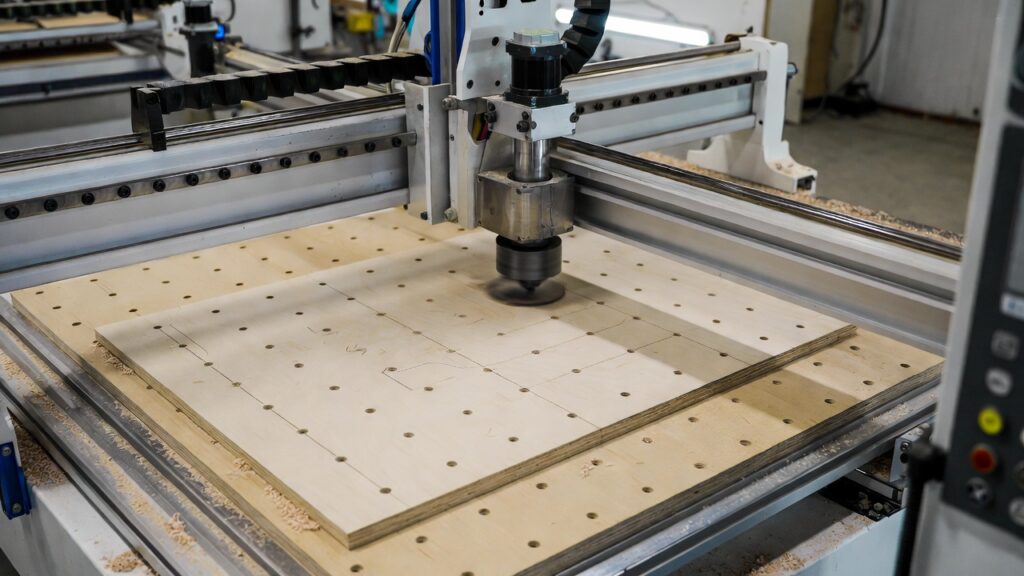
(Modern CNC router with vacuum table holding large plywood sheet)
Precision & Detail Capability
Lasers achieve finer detail thanks to tiny kerf (0.1–0.3 mm) and no tool deflection. Intricate filigree, small text, and photo engraving favor lasers.
Routers are limited by minimum bit diameter (around 0.4–0.8 mm practical) and some deflection on long tools, but modern high-rigidity machines close the gap for most signage and woodworking.
Winner for ultra-fine 2D detail and engraving: laser. Winner for structural 3D accuracy: router.
Safety & Shop Environment
Lasers require Class IV enclosures, proper eyewear specific to wavelength, and powerful fume extraction (especially CO₂ on organics). Fire risk exists.
Routers produce loud noise (80–100 dB), heavy dust, and flying chips—necessitating dust collection and PPE—but no fume or fire issues in most materials.
Winner for cleaner air (with good exhaust): laser on non-toxic jobs. Winner for simpler ventilation in wood shops: router.
Frequently Asked Questions
What’s the main difference between CNC laser cutting and CNC routing?
Laser cutting uses a focused beam to melt/vaporize material (non-contact); routing uses a spinning bit to mechanically remove material (contact cutting).
Which is faster for cutting thin sheet metal?
Fiber laser cutting is significantly faster—often 5–10× quicker than routing on material under ½ inch.
Can a laser cutter create 3D relief or deep pockets?
Not effectively. Lasers excel at through-cuts; routers are built for variable depth and 3D sculpting.
Which machine handles thicker materials better?
CNC routers routinely cut 4–12 inches of wood/composites and thick aluminum; lasers top out around 1–1.5 inches on metal and less on organics.
Is laser cutting better for engraving detailed logos and photos?
Yes—lasers produce much finer detail and grayscale raster engraving with almost no tool marks.
Do I need special ventilation for either machine?
Lasers almost always require fume extraction (especially CO₂ on wood/plastics). Routers need strong dust collection but no combustion fumes.
Which has lower consumable costs in high-volume production?
Fiber lasers win due to virtually no tool wear; routers consume bits regularly.
Can a CNC router cut metal effectively?
Yes—soft metals like aluminum and brass are common; harder steels are possible with carbide bits, slower feeds, and coolant.
Which is better for small, intricate signs or jewelry?
Laser—cleaner edges, tighter tolerances, and faster processing on thin materials.
Can one machine do both laser and routing?
Yes—hybrid machines exist with swappable heads or add-on laser modules on router frames, though dedicated machines usually outperform.
Which technology has a better return on investment for a small shop?
Depends on your work: high-volume flat metal → fiber laser; woodworking, 3D parts, mixed materials → router.
Are lasers safer than routers?
Each has risks: lasers involve eye/fire/fume hazards; routers involve noise, dust, and spinning tools. Both require proper PPE and safeguards.
Ready to see which technology fits your shop best?
Whether you need blazing-fast fiber laser cuts on sheet metal or deep, versatile CNC routing on wood and composites, the right choice comes down to matching the machine to your daily jobs.
Contact us for a no-obligation consultation, material test cuts, or a personalized ROI calculation. Let’s find the perfect setup that maximizes your throughput and profit.