Have you ever watched a CNC machine carve out a perfect part from a block of metal or wood, wondering how all that precision happens? It’s all thanks to CNC programming – the instructions that tell the machine what to do. But in 2026, things are changing fast. Artificial intelligence (AI) is stepping in to make this process easier, faster, and smarter. If you’re new to this, terms like “AI CNC programming,” “AI for CNC programming,” or “CNC programming AI” might sound complex. Don’t worry – this guide breaks it down simply.
This beginner’s guide covers everything you need to know about using AI in CNC programming. We’ll explain how AI generates G-code (the language CNC machines speak), recommend top software tools, and walk you through hands-on tutorials. By the end, you’ll feel ready to try it yourself. Whether you’re a hobbyist in your garage or starting in manufacturing, AI can cut your programming time from hours to minutes. Let’s dive in!
AI is revolutionizing CNC machining by automating repetitive tasks, optimizing paths, and reducing errors. According to recent industry insights, AI-powered tools can boost efficiency by up to 80% in some cases. It’s not about replacing humans – it’s about helping you work better.
What Is AI CNC Programming? The Basics
Before we jump into AI, let’s cover the fundamentals. CNC stands for Computer Numerical Control. It’s a way to automate machines like mills, lathes, or routers to cut, drill, or shape materials precisely.
CNC programming is creating a set of instructions for these machines. The core language is G-code, which tells the machine things like:
- Where to move (e.g., G00 for rapid positioning)
- How fast to spin the tool (S commands for spindle speed)
- What path to follow (G01 for straight lines, G02/G03 for arcs)
Traditionally, programmers use CAM (Computer-Aided Manufacturing) software to turn a 3D CAD model into G-code. You import a design, select tools, define paths, and simulate to avoid crashes. But this can take hours, especially for complex parts.
Enter AI. “AI CNC programming” uses machine learning to handle much of this automatically. It analyzes your design, suggests optimal strategies, and generates code. For beginners, this means less guesswork and fewer mistakes.
Why learn this now? In 2026, industries like aerospace, automotive, and prototyping demand faster turnaround. AI helps small shops compete with big ones. Plus, it’s accessible – many tools plug into free software like Fusion 360.
Common myths: AI isn’t magic. It learns from data, so good inputs (like accurate tool libraries) are key. And while it’s great for simple parts, complex jobs still need human tweaks.
How AI Is Changing CNC Programming
AI brings smarts to CNC programming by human decision-making, but faster. It uses algorithms trained on millions of machining examples to predict the best way to make a part.
Key ways AI helps:
- Feature Recognition: AI scans your CAD file and spots holes, pockets, or contours automatically. No more manual selection.
- Optimization: It calculates ideal speeds, feeds, and depths to minimize time and tool wear. For example, it might suggest trochoidal milling for efficiency.
- Error Reduction: AI simulates paths to detect collisions or inefficiencies before you run the machine.
In “AI for CNC programming,” tools like generative AI create code from descriptions. You describe a part (e.g., “a bracket with two holes”), and AI outputs G-code.
Real-world impact: Shops using AI report 30-50% faster programming. For beginners, this levels the playing field. You don’t need years of experience to produce pro-level code.
But how does it fit into your workflow? Start with a CAD design (from software like SolidWorks). Feed it to an AI CAM tool. The AI proposes strategies. Review, adjust, and post-process to G-code. Run it on your machine.
As of 2026, AI is integrated into major CAM platforms. Siemens NX, Mastercam, and Autodesk Fusion all have AI plugins. This makes it easy to add AI without switching software.
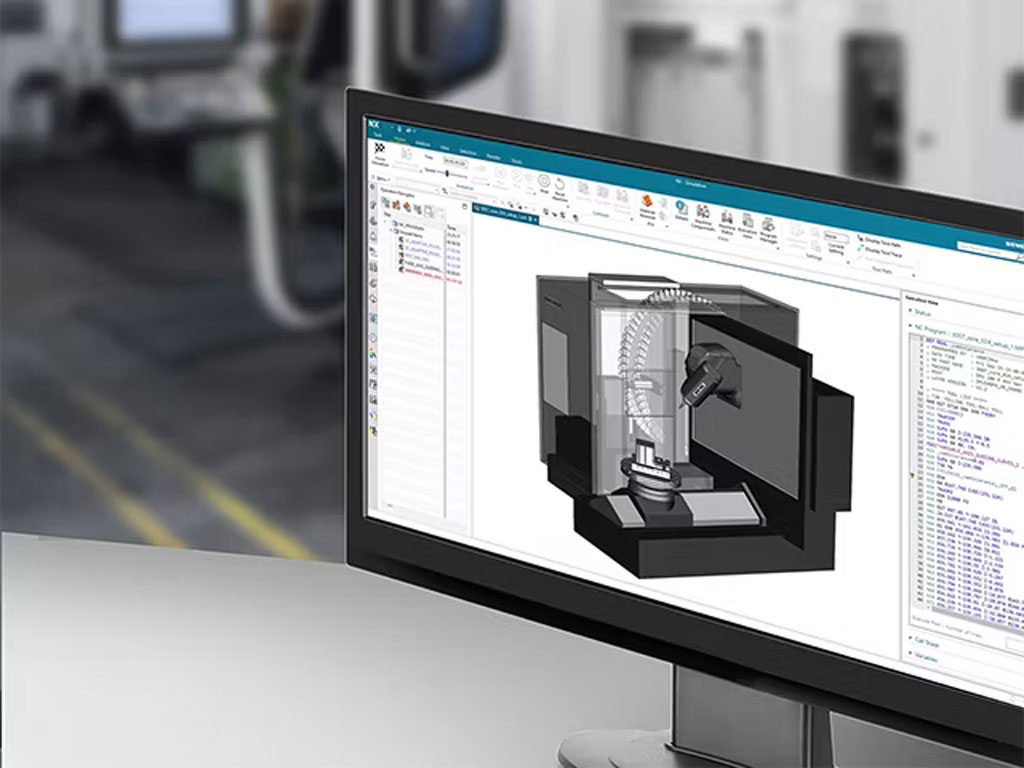
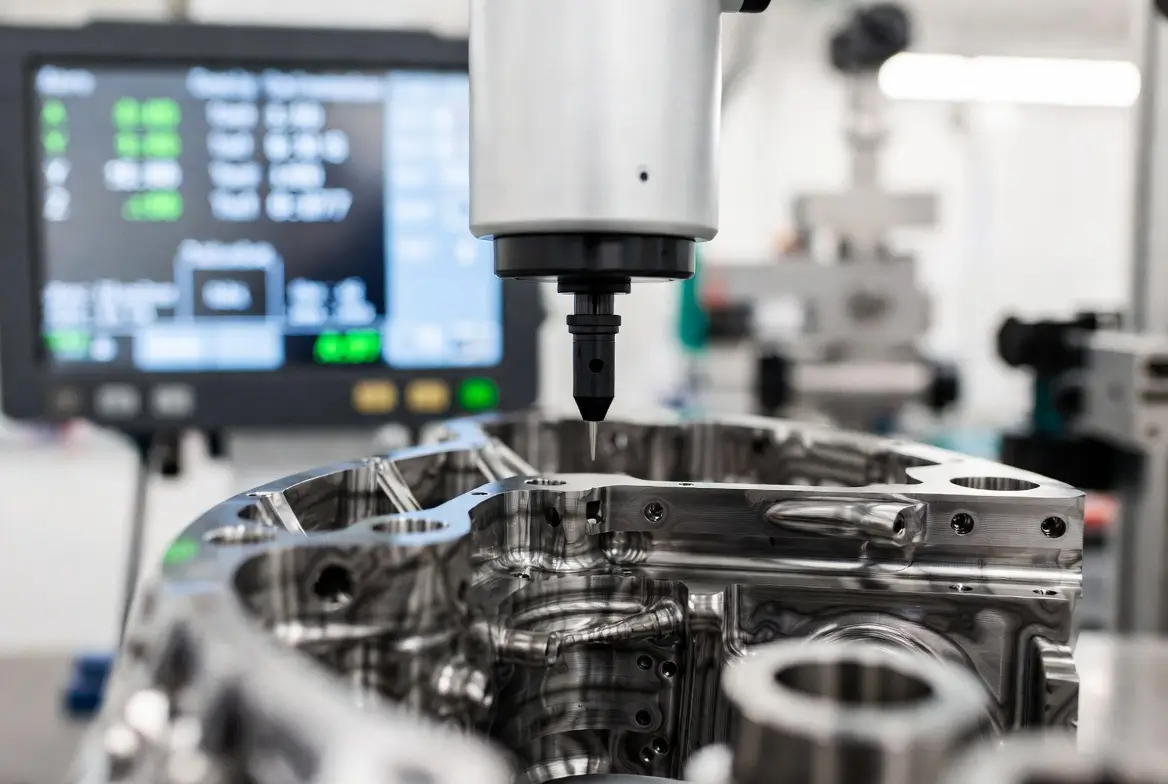
This image shows a typical AI CNC programming interface, where you can see toolpaths and code side by side.
How AI Generates G-Code: Step-by-Step Explanation
G-code is the backbone of CNC—a text file of commands like “G01 X10 Y20 F100” (move linearly to X10, Y20 at 100 units per minute). Traditionally, CAM software generates this from your inputs. AI supercharges it by automating the process.
Here’s how AI generates G-code:
- Input Analysis: Upload a CAD model (STEP, IGES, or STL file). AI uses computer vision and machine learning to parse geometry. It identifies features like bosses, slots, or threads.
- Strategy Planning: AI evaluates options. For a pocket, it might choose adaptive clearing over conventional milling for better chip evacuation. It considers material (aluminum vs. steel), machine type (3-axis vs. 5-axis), and tools available.
- Optimization Loop: Using algorithms like genetic optimization or neural networks, AI iterates paths. It minimizes cycle time while maximizing surface finish. For example, it adjusts feed rates based on historical data to avoid tool breakage.
- Code Generation: AI outputs G-code. This includes setup commands (G54 for work offsets), tool changes (T1 M06), and safety features (G28 for home return). Advanced AI even adds comments for readability.
- Simulation and Validation: Before finalizing, AI simulates the code virtually. It flags issues like gouges or rapid moves through stock.
Take CloudNC’s CAM Assist: You import a part, select setups, and hit “Generate.” In seconds, it creates 80% of the program, including G-code. For beginners, this is game-changing—no need to learn every G-command manually.
Limitations: Early AI like ChatGPT can generate basic G-code but often omits safety codes or misinterprets geometry. A study showed ChatGPT reduced cycle time by 37% but removed critical operations, leading to errors. So, always verify.
Example G-code snippet generated by AI for a simple rectangle pocket:
text
N10 G90 G54 G00 X0 Y0 Z50  ; Absolute positioning, work offset, rapid to start
N20 T1 M06                 ; Tool change to end mill
N30 S5000 M03              ; Spindle on at 5000 RPM
N40 G01 Z-5 F200           ; Plunge to depth
N50 G01 X50 Y0             ; Cut side
N60 G01 X50 Y30            ; And so on...
N100 M05 M30               ; Spindle off, end program
AI made this efficient by choosing optimal feeds.
This visual represents AI-generated G-code in action, showing the code overlaid on a machining simulation.
For complex parts, AI uses physics-based models (digital twins) to predict outcomes. In 2026, tools like DELMIA propose toolpaths based on geometry alone.
Top AI Software Recommendations for CNC Programming
Choosing the right tool is crucial. Here are the best AI-powered options in 2026, based on features, ease of use, and compatibility. We’ve focused on beginner-friendly ones.
| Software | Key AI Features | Compatibility | Price (2026) | Best For |
|---|---|---|---|---|
| CAM Assist by CloudNC | Auto-generates strategies and toolpaths; 80% program completion in minutes | Mastercam 2025/2026, Autodesk Fusion, GibbsCAM 2025/2026 | Subscription from $99/month | 3-axis/3+2 milling; quick setups |
| Mastercam 2026 with Copilot | AI help/command for toolpath suggestions; learns from user | Windows-based CNC machines | $5,000+ (perpetual license) | Complex geometry; pros and beginners |
| Lambda Function AI Plugin | Generative AI for NX; optimizes tool life | Siemens NX CAM | Plugin from $50/month | Automation in large shops |
| Toolpath AI | CAD to CAM automation; exports to any post-processor | Fusion 360, others | Free trial, then $79/month | Hobbyists; router work |
| Autodesk Fusion with AI Extensions | Feature recognition; predictive maintenance | Cloud-based; multi-axis | Free for hobbyists, $545/year pro | All-in-one design to machine |
CAM Assist stands out for beginners – it integrates seamlessly and handles prismatic parts well. Mastercam’s Copilot acts like a virtual assistant, answering questions in natural language.
Start with free trials. Import your tool library for accurate results. For example, in Fusion, AI extensions suggest feeds based on material databases.
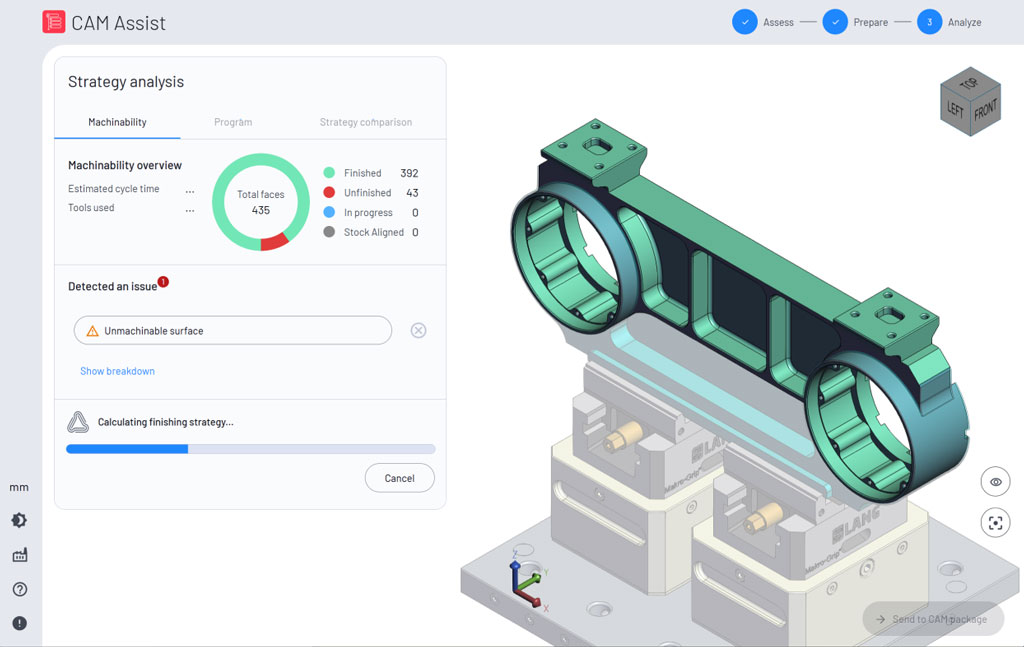
Here’s an example of CAM Assist’s interface, analyzing a part strategy.
Step-by-Step Tutorial: Getting Started with AI CNC Programming
Ready to try? This tutorial uses CAM Assist in Autodesk Fusion – free for starters. Assume you have a basic CAD model (e.g., a simple bracket).
- Setup Software: Download Fusion 360 (free version). Install CAM Assist plugin from their site. It’s quick – under 5 minutes.
- Import Your Design: Open Fusion. Go to the manufacture workspace. Import your CAD file (File > Insert).
- Define Tools and Stock: Create a tool library. Add end mills and drills. Set stock size (e.g., aluminum block 100x50x20 mm). AI needs this for accurate paths.
- Run AI Generation: Select setups (e.g., top face as Z). Click the CAM Assist button. Choose a 3-axis. Hit “Assess.” AI analyzes in seconds, suggesting strategies like roughing with adaptive paths.
- Review and Edit: View proposed toolpaths. AI estimates cycle time (e.g., 15 minutes). Tweak if needed – add chamfers or change tools.
- Generate G-Code: Postprocess. Select your machine’s post (e.g., Haas). Export G-code file.
- Simulate and Run: Simulate in Fusion to check. Transfer to machine via USB. Start with air cuts (no material) for safety.
Video resources: Check “How to use AI in CNC Machining” on YouTube for visuals. Titans of CNC offers free courses with AI-integrated lessons.
For advanced users: Try 5-axis with Mastercam. Tutorials on Udemy cover G-code basics with AI twists.
Common tip: Start small. Program a nameplate or keychain to build confidence.
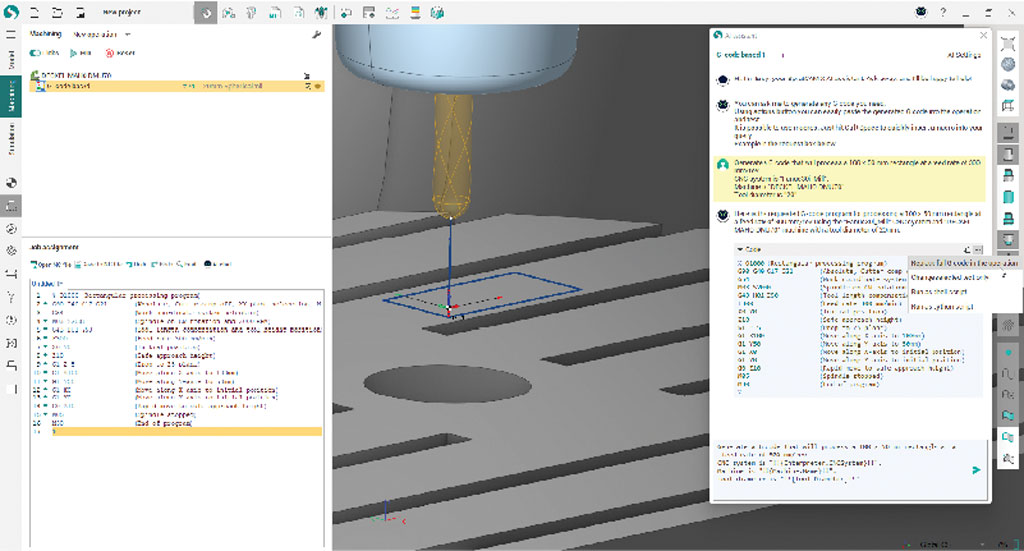
This shows G-code output from an AI tool, with visual simulation.
Advantages and Challenges of AI in CNC Programming
Pros:
- Speed: From days to minutes for programming.
- Accessibility: Beginners can produce complex parts.
- Efficiency: Reduces waste, extends tool life.
- Innovation: Enables designs humans might miss.
Cons:
- Learning Curve: Still need basic CNC knowledge.
- Errors: AI can overlook nuances, like in ChatGPT tests.
- Cost: Pro tools aren’t free.
- Dependency: Over-reliance might stunt skill growth.
Balance by using AI as a tool, not a crutch. In 2026, hybrid approaches (AI + human) are standard.
Frequently Asked Questions (FAQs)
What is AI CNC programming?
It’s using AI to automate creating instructions for CNC machines, like generating G-code from designs.
Can AI fully replace manual programming?
Not yet – it’s great for 80% of work, but complex parts need human input.
Is AI for CNC programming free?
Some, like Fusion extensions, have free tiers. Others like CAM Assist start at $99/month.
How accurate is AI-generated G-code?
Very, if the inputs are good. Always simulate to verify.
Will AI make CNC jobs obsolete?
No – it creates demand for AI-savvy machinists.
Where can I learn more?
Titans of CNC Academy or YouTube tutorials.
Wrapping Up: Your Next Steps in AI CNC Programming
AI CNC programming is transforming manufacturing, making it accessible and efficient for beginners. From generating G-code to software like CAM Assist, you’ve got the tools to start. Experiment with free trials, watch tutorials, and build simple projects. In 2026, staying ahead means embracing AI. What’s your first project? Dive in – the future of making is here.