AI is changing CNC programming fast. It helps create toolpaths automatically, suggest better speeds and feeds, and save hours of work. Tools now use smart AI to make programming easier for everyone—from hobbyists to big shops.
This guide covers the best AI CNC programming software right now. We focus on tools that match searches like “AI CNC programming software,” “CNC AI software,” and “best AI for CNC programming.” You’ll see paid and free options, key features, and a simple comparison table.
We include real examples like Mastercam (with its new AI Copilot), Autodesk Fusion 360 (great free version), and add-ons like CAM Assist from CloudNC.
Let’s make this easy to read with short sections, bullet points, and clear tables.
Why Use AI for CNC Programming?
AI makes CNC work smarter:
- Saves time — Automates 50-80% of repetitive tasks like toolpath creation.
- Reduces errors — Spots collisions and suggests safe settings.
- Improves results — Optimizes cuts for better finish, less tool wear, and faster cycles.
- Helps beginners — Uses simple prompts or voice commands.
In 2026, top tools add voice control, physics-based optimization, and cloud features.
Top Paid AI Tools
These are powerful for pros and shops with complex parts.
1. Mastercam – The Top Choice for Complex Work
Mastercam is the most used CAM software worldwide. The 2026 version adds strong AI features.
Key AI highlights:
- Mastercam Copilot — Your AI helper. Use text or voice commands like “increase feed rate on roughing paths.”
- Smart toolpaths — Auto-generates paths for milling, turning, and more.
- GPU simulation — Fast checks for collisions.
- Big post-processor library — Works with almost any machine.
Pricing: Starts around $5,000+ (one-time) plus yearly support (~$1,000). Great for multi-axis jobs in aerospace or medical.
Pros: Very reliable, huge community. Cons: Steep learning curve if you’re new.
Here’s a screenshot of Mastercam’s toolpath interface:
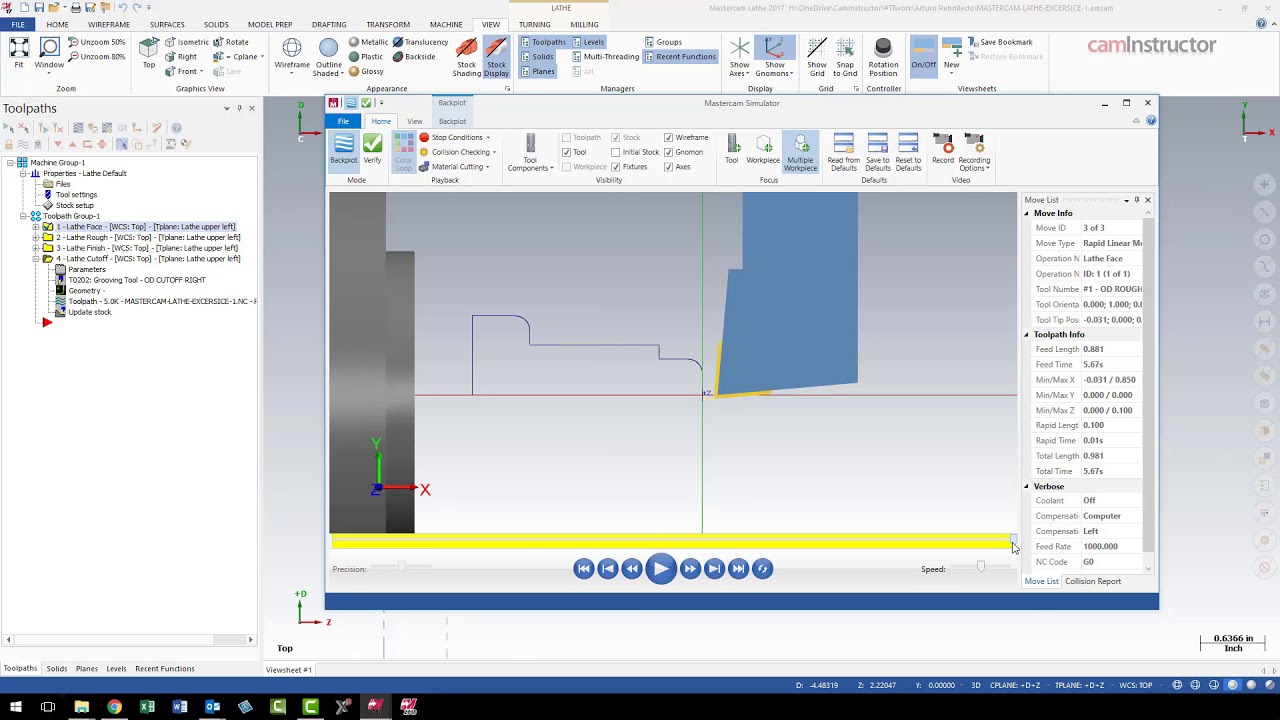
The Different Backplot Interfaces in Mastercam
2. CAM Assist by CloudNC – AI Add-on for Faster Programming
This plugin works inside Mastercam, Fusion 360, or GibbsCAM. It uses AI to finish up to 80% of your program in minutes.
Key features:
- Auto-creates machining strategies and toolpaths.
- Physics-based tweaks — Optimizes forces, speeds, and feeds.
- Cycle time estimates and issue detection.
Pricing: Subscription, around $500/month (free trial available).
Best for: Shops that want quick boosts without changing software.
See the CAM Assist interface in action:
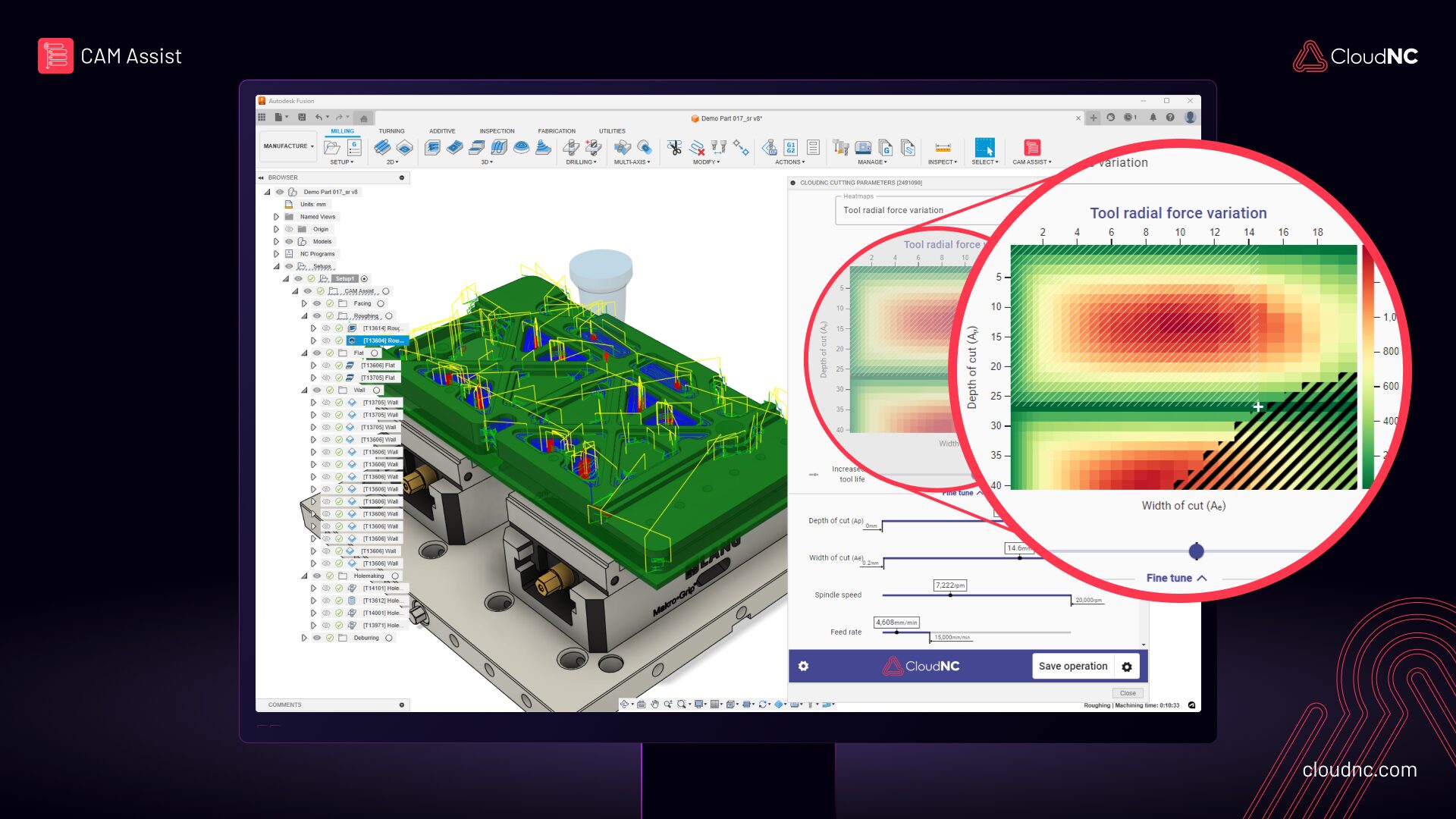
New Cutting Parameters AI solution automatically generates appropriate physics-based precision machining feeds and speeds, transforming CNC machining
Another example showing parameter tuning:
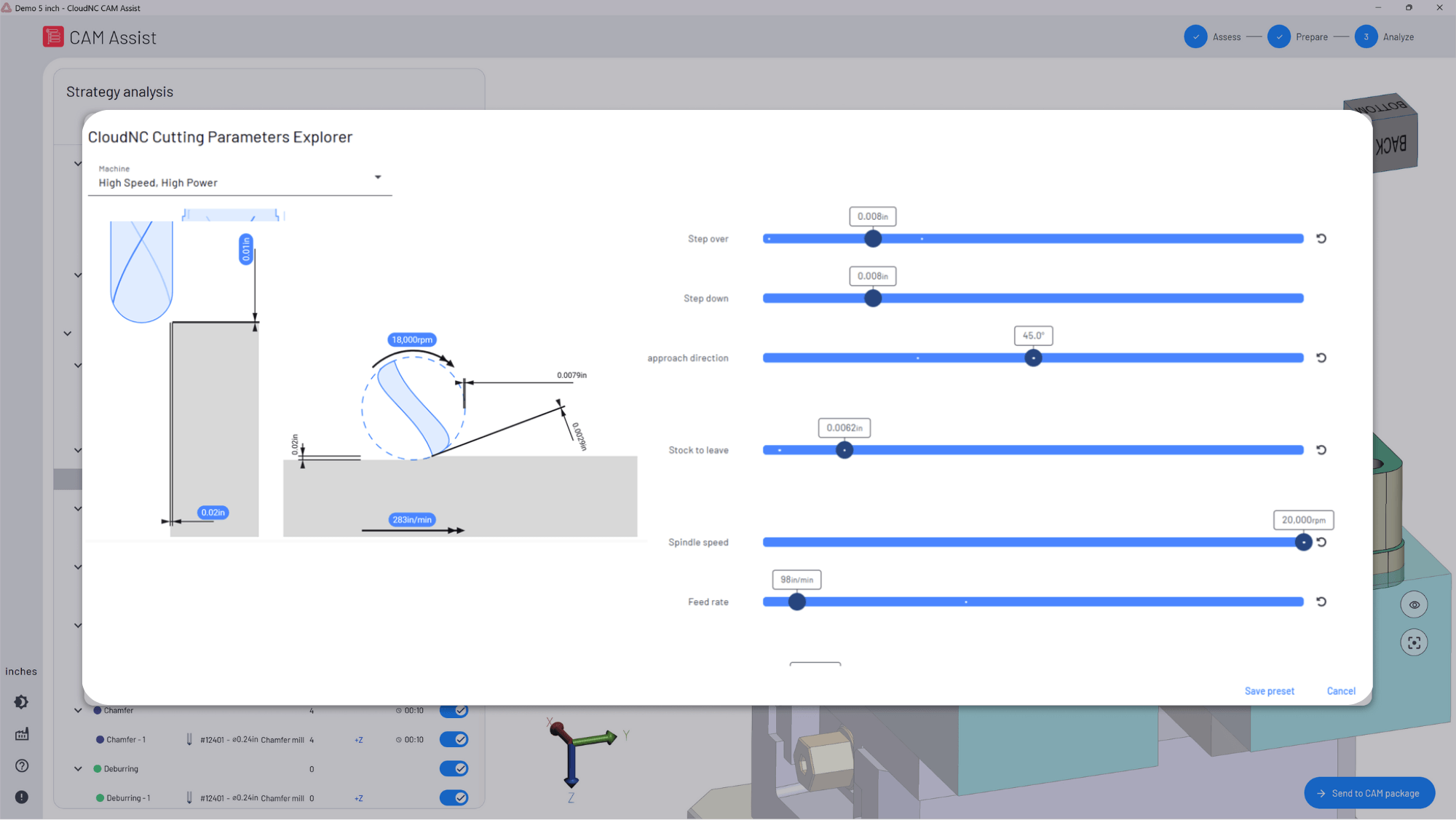
CAM Assist by CloudNC – AI CAM Programming
Strategy analysis view:
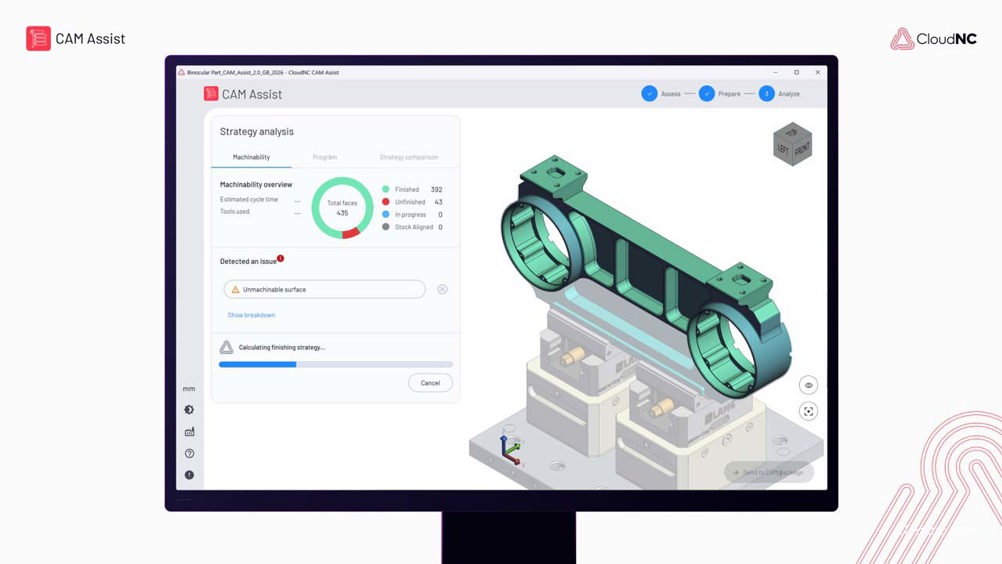
CloudNC: Revolutionising CNC Machining with AI
Best Free (or Low-Cost) AI Options
Great for hobbyists, small shops, or testing.
1. Autodesk Fusion 360 – Best All-in-One Free Option
Fusion 360 combines CAD + CAM with smart AI tools. Free for personal use (if revenue under ~$100k/year).
Key AI features:
- Automated toolpaths — Smart roughing and adaptive clearing.
- Generative design — Creates optimized shapes.
- Auto-modeling and drawings — AI adds details fast.
- Cloud tools — Easy sharing and simulation.
Pros: Beginner-friendly, full CAD/CAM in one place. Cons: Needs internet; pro upgrades cost ~$500/year.
Fusion 360 workspace example:
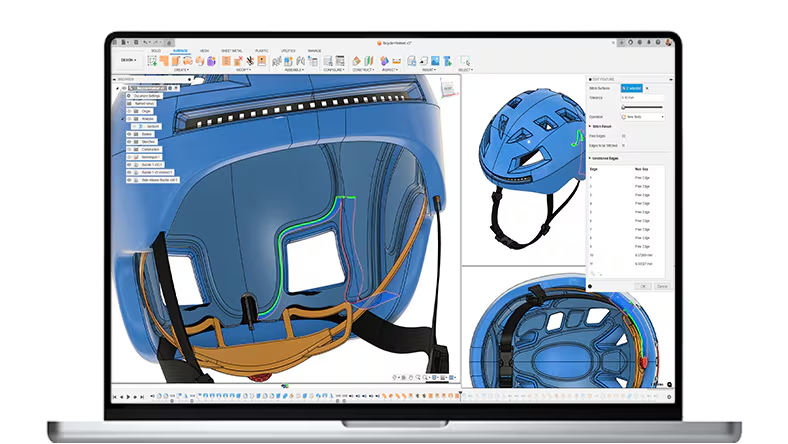
2. Toolpath – Simple AI for Hobby and Shop Use
Focuses on AI automation for 3-axis (3+2 coming).
Features:
- Instant part analysis and estimates.
- Tool suggestions and DFM checks.
- Free hobby plan available.
Good for quick jobs without big costs.
Other Free Mentions
- Zookeeper (or similar text-to-CAD AI) — Turn words into models.
- Carveco — Has AI for image-to-relief and design.
Quick Comparison Table
| Tool | Main AI Features | Pricing | Ease of Use | Best For | Rating (out of 10) |
|---|---|---|---|---|---|
| Mastercam | Copilot voice/text, smart paths | $5,000+ + yearly | Medium | Pro complex parts | 9.0 |
| Fusion 360 | Auto toolpaths, generative design | Free / $500 yr pro | Easy | Beginners & all-in-one | 8.8 |
| CAM Assist | 80% auto programming, physics opt | ~$500/month | Easy | Add-on speed boost | 8.5 |
| Toolpath | Analysis, estimates, automation | Free hobby / paid | Very Easy | Hobby & small shops | 7.8 |
Ratings based on 2026 reviews and user feedback.
How to Pick the Right One
- New to CNC? Start with Fusion 360 (free and easy).
- Pro shop with complex jobs? Go Mastercam.
- Want fast add-on help? Try CAM Assist.
- Budget tight? Use free tiers first.
Most offer free trials—test a few!
Quick FAQs
What’s the best free AI for CNC beginners?
Fusion 360—easy interface and strong automation.
Can AI replace programmers completely?
No. It handles 70-80% of work, but you still need skill for custom or safety checks.
Mastercam vs Fusion 360—which wins?
Mastercam for advanced CAM power; Fusion for CAD + cost.
Any good free G-code AI generators?
Toolpath and similar tools help create basic code fast.
How much time does AI save?
Often 50-80%, especially on repetitive parts.
Is cloud AI safe?
Most use strong security, but use on-premise like Mastercam for sensitive work.
Final Thoughts
In 2026, AI makes CNC programming faster and smarter. Tools like Mastercam Copilot and Fusion 360 lead the way. Pick one that fits your machines, budget, and skill level—start with a trial today.
Your next part could program itself in minutes!